Close Menu
Ztoog
    What's Hot
    AI

    New computer vision method helps speed up screening of electronic materials | Ztoog

    Technology

    Populism, AI, and nationalism — progress and backlash

    AI

    Researchers from Johns Hopkins Medicine Developed a Machine Learning Model for Precise Osteosarcoma Necrosis Calculation

    Important Pages:
    • About Us
    • Contact us
    • Privacy Policy
    • Terms & Conditions
    Facebook X (Twitter) Instagram Pinterest
    Facebook X (Twitter) Instagram Pinterest
    Ztoog
    • Home
    • The Future

      What is Project Management? 5 Best Tools that You Can Try

      Operational excellence strategy and continuous improvement

      Hannah Fry: AI isn’t as powerful as we think

      FanDuel goes all in on responsible gaming push with new Play with a Plan campaign

      Gettyimages.com Is the Best Website on the Internet Right Now

    • Technology

      Iran war: How could it end?

      Democratic senators question CFTC staffing cuts in Chicago enforcement office

      Google’s Cloud AI lead on the three frontiers of model capability

      AMD agrees to backstop a $300M loan from Goldman Sachs for Crusoe to buy AMD AI chips, the first known case of AMD chips used as debt collateral (The Information)

      Productivity apps failed me when I needed them most

    • Gadgets

      macOS Tahoe 26.3.1 update will “upgrade” your M5’s CPU to new “super” cores

      Lenovo Shows Off a ThinkBook Modular AI PC Concept With Swappable Ports and Detachable Displays at MWC 2026

      POCO M8 Review: The Ultimate Budget Smartphone With Some Cons

      The Mission: Impossible of SSDs has arrived with a fingerprint lock

      6 Best Phones With Headphone Jacks (2026), Tested and Reviewed

    • Mobile

      Android’s March update is all about finding people, apps, and your missing bags

      Watch Xiaomi’s global launch event live here

      Our poll shows what buyers actually care about in new smartphones (Hint: it’s not AI)

      Is Strava down for you? You’re not alone

      The Motorola Razr FIFA World Cup 2026 Edition was literally just unveiled, and Verizon is already giving them away

    • Science

      Big Tech Signs White House Data Center Pledge With Good Optics and Little Substance

      Inside the best dark matter detector ever built

      NASA’s Artemis moon exploration programme is getting a major makeover

      Scientists crack the case of “screeching” Scotch tape

      Blue-faced, puffy-lipped monkey scores a rare conservation win

    • AI

      Online harassment is entering its AI era

      Meet NullClaw: The 678 KB Zig AI Agent Framework Running on 1 MB RAM and Booting in Two Milliseconds

      New method could increase LLM training efficiency | Ztoog

      The human work behind humanoid robots is being hidden

      NVIDIA Releases DreamDojo: An Open-Source Robot World Model Trained on 44,711 Hours of Real-World Human Video Data

    • Crypto

      Google paid startup Form Energy $1B for its massive 100-hour battery

      Ethereum Breakout Alert: Corrective Channel Flip Sparks Impulsive Wave

      Show Your ID Or No Deal

      Jane Street sued for alleged front-running trades that accelerated Terraform Labs meltdown

      Bitcoin Trades Below ETF Cost-Basis As MVRV Signals Mounting Pressure

    Ztoog
    Home » Google will remove nearly 20 Google Assistant features this month
    Mobile

    Google will remove nearly 20 Google Assistant features this month

    Facebook Twitter Pinterest WhatsApp
    Google will remove nearly 20 Google Assistant features this month
    Share
    Facebook Twitter LinkedIn Pinterest WhatsApp

    (*20*)

    Mishaal Rahman / Android Authority

    TL;DR

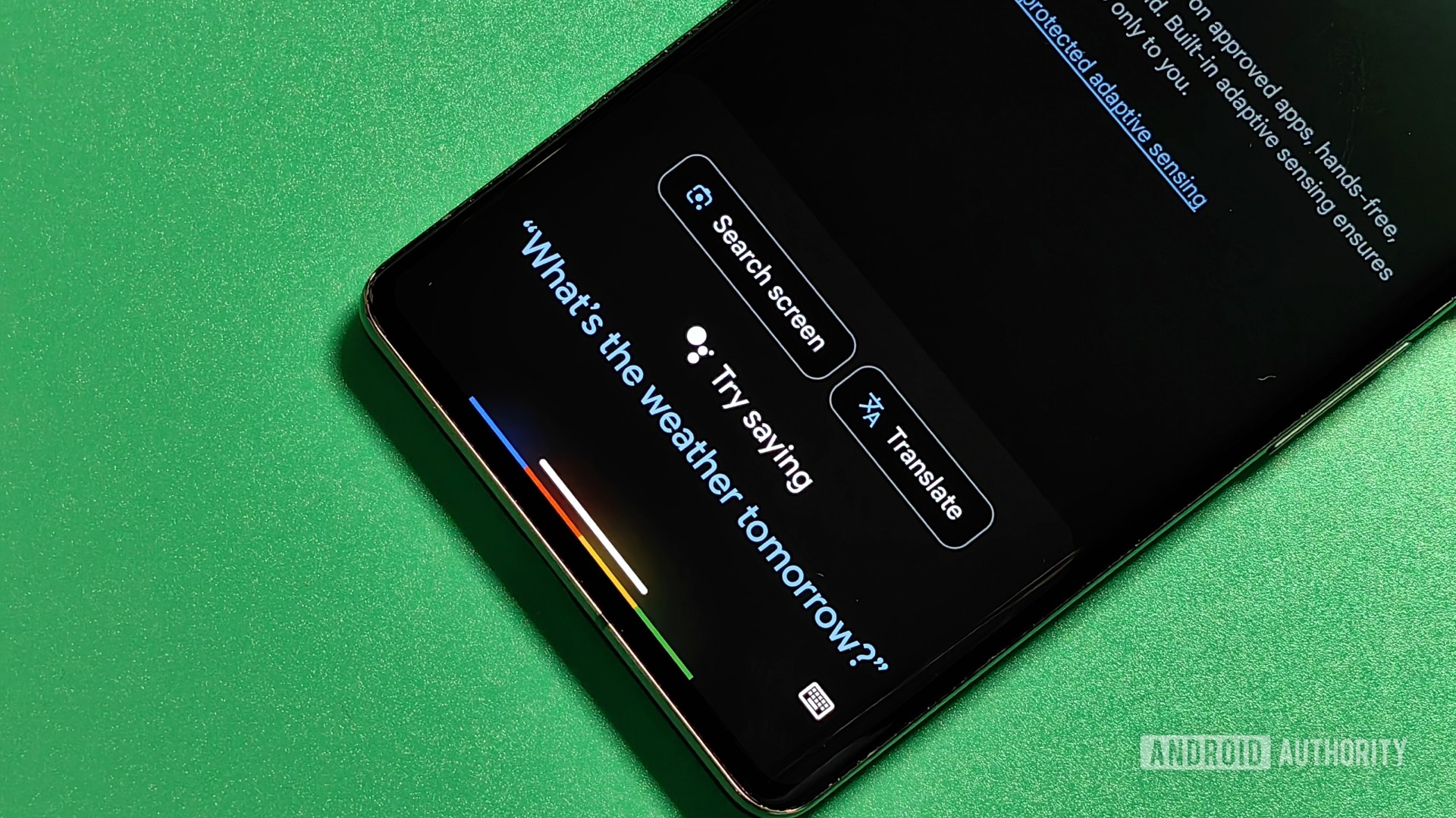
    • On January 26, 2024, Google will start to remove nearly 20 Google Assistant features.
    • These features embrace setting music alarms, invoking a stopwatch, and extra.
    • The firm says it’s doing this to unencumber sources to give attention to features customers care about probably the most.

    Traditionally, making a product higher includes including extra features to it. However, typically trimming down a product is what’s most important, and Google goes to start a major trim of one in every of its star merchandise beginning this month.

    On January 26, 2024, Google will sundown nearly 20 totally different Google Assistant features, which you’ll see under. Starting on that date, whenever you invoke one in every of these features, you’ll obtain a notification from the Assistant that that characteristic is winding down. You’ll proceed to obtain these alerts for 30 days.

    On February 26, 2024, the features will formally vanish. From that time ahead, whenever you try and invoke a characteristic from the listing under, the Google Assistant will merely reject the command as one thing it can’t do.

    Google additionally needs to make sure customers get the newest and biggest model of Assistant. Starting on the identical date as these features start to wind down, you will be required to replace to a current model of the Google app (model 12 or larger) in your cellphone and pill.

    Why is Google doing this?

    Google defined these adjustments in a weblog publish. In it, the corporate cites a “focus on quality and reliability,” which necessitated eradicating assist for features that aren’t as excessive a precedence as some others.

    Google admits that adjustments like these could be “disruptive.” There will most definitely be individuals who depend on a number of of those eliminated features who will in all probability be upset about their elimination. Thankfully, Google confirmed that Assistant with Bard shouldn’t be affected by these adjustments, so who is aware of what may very well be on the horizon for Assistant.

    Google Assistant features to be eliminated

    • Invoking the complete Assistant from the Google Search bar. When you faucet the mic icon within the search bar, you will mechanically get a voice search immediate. You will not have the ability to make non-search queries right here, similar to “turn off the lights” or “send a message.” You can nonetheless make Assistant queries by saying “Hey Google” or long-pressing in your cellphone’s energy button.
    • Playing and controlling audiobooks on Google Play Books together with your voice. You can nonetheless solid audiobooks out of your cellular gadget.
    • Setting or utilizing media alarms, music alarms, or radio alarms on Google Assistant-enabled units. You can create a customized Routine that has comparable conduct or use a normal alarm.
    • Accessing or managing your cookbook, transferring recipes from gadget to gadget, taking part in an educational recipe video, or displaying step-by-step recipes. You can use Google Assistant to seek for recipes throughout the online and YouTube.
    • Managing a stopwatch on Smart Displays and Speakers. You can nonetheless set timers and alarms.
    • Using your voice to name a tool or broadcast a message to your Google Family Group. You can nonetheless broadcast to units in your house.
    • Using your voice to ship an e-mail, video, or audio message. You can nonetheless make calls and ship textual content messages.
    • Rescheduling an occasion in Google Calendar together with your voice. You can nonetheless schedule a brand new occasion.
    • Using App Launcher in Google Assistant driving mode on Google Maps to learn and ship messages, make calls, and management media. You can nonetheless use voice management on Google Maps the identical means.
    • Asking to schedule or hear beforehand scheduled Family Bell bulletins . You can create a customized Routine that has comparable conduct.
    • Asking to meditate with Calm. You can nonetheless ask for meditation choices with media suppliers similar to YouTube.
    • Voice management for actions will not be out there on Fitbit Sense and Versa 3 units. You’ll want to make use of the buttons in your gadget to start out, cease, pause, and resume actions. You can nonetheless voice management actions on Pixel Watches.
    • Viewing your sleep summaries will solely be out there on Google Smart Displays. You can nonetheless ask for sleep particulars by voice on third-party good clocks.
    • Calls made out of audio system and Smart Displays will not present up with a caller ID until you’re utilizing Duo.
    • Viewing the ambient “Commute to Work” time estimates on Smart Displays. You can nonetheless ask for commute instances and get instructions by voice.
    • Checking private journey itineraries by voice. You can nonetheless ask for flight standing.
    • Asking for details about your contacts. You can nonetheless make calls to your contacts.
    • Asking to take sure actions by voice, similar to ship a fee, make a reservation, or publish to social media. You can nonetheless ask Assistant to open your put in apps.

    Share. Facebook Twitter Pinterest LinkedIn WhatsApp

    Related Posts

    Mobile

    Android’s March update is all about finding people, apps, and your missing bags

    Mobile

    Watch Xiaomi’s global launch event live here

    Mobile

    Our poll shows what buyers actually care about in new smartphones (Hint: it’s not AI)

    Mobile

    Is Strava down for you? You’re not alone

    Mobile

    The Motorola Razr FIFA World Cup 2026 Edition was literally just unveiled, and Verizon is already giving them away

    Mobile

    Xiaomi Tag’s price surfaces – GSMArena.com news

    Mobile

    Galaxy S25 FE becomes even more affordable flagship killer with Amazon’s latest deal

    Mobile

    Gemini Labs arrives, giving a clear home for experimental features

    Leave A Reply Cancel Reply

    Follow Us
    • Facebook
    • Twitter
    • Pinterest
    • Instagram
    Top Posts
    Crypto

    Number Of Whale Wallets Reaches Highest Count In 15 Months

    Bitcoin, the most important crypto asset, is at the moment at a standstill from the…

    Mobile

    Gboard is picking up a neat camera trick that lets you ‘Scan Text’

    What you must knowGoogle is beginning to roll out Gboard’s “Scan Text” characteristic to customers,…

    Gadgets

    The best guitar amps in 2023, tested and reviewed

    We could earn income from the merchandise accessible on this web page and take part…

    AI

    Research at Stanford Introduces PointOdyssey: A Large-Scale Synthetic Dataset for Long-Term Point Tracking

    Large-scale annotated datasets have served as a freeway for creating exact fashions in numerous pc…

    The Future

    Razer Hammerhead Pro HyperSpeed Review – Melds portable audio with gaming quality

    For years as a teen, I longed for the precise gear for efficiency, the look…

    Our Picks
    Science

    India’s Chandrayaan-3 mission has landed near the moon’s south pole

    Crypto

    Will it Break Through Resistance at $200?

    Crypto

    Argentina Welcomes First Pro-Bitcoin President, BTC Price Surges Above $37,000

    Categories
    • AI (1,560)
    • Crypto (1,826)
    • Gadgets (1,870)
    • Mobile (1,910)
    • Science (1,939)
    • Technology (1,862)
    • The Future (1,716)
    Most Popular
    Mobile

    Which one should you buy?

    Science

    Over 2 percent of the US’s electricity generation now goes to bitcoin

    AI

    Meet Netron: A Visualizer for Neural Network, Deep Learning and Machine Learning Models

    Ztoog
    Facebook X (Twitter) Instagram Pinterest
    • Home
    • About Us
    • Contact us
    • Privacy Policy
    • Terms & Conditions
    © 2026 Ztoog.

    Type above and press Enter to search. Press Esc to cancel.