Close Menu
Ztoog
    What's Hot
    Mobile

    Gmail could start rejecting suspicious emails even before they reach your inbox

    The Future

    Risk algorithm used widely in US courts is harsher than human judges

    Science

    NASA and Google Earth Engine team up with researchers to help save tigers

    Important Pages:
    • About Us
    • Contact us
    • Privacy Policy
    • Terms & Conditions
    Facebook X (Twitter) Instagram Pinterest
    Facebook X (Twitter) Instagram Pinterest
    Ztoog
    • Home
    • The Future

      What is Project Management? 5 Best Tools that You Can Try

      Operational excellence strategy and continuous improvement

      Hannah Fry: AI isn’t as powerful as we think

      FanDuel goes all in on responsible gaming push with new Play with a Plan campaign

      Gettyimages.com Is the Best Website on the Internet Right Now

    • Technology

      Iran war: How could it end?

      Democratic senators question CFTC staffing cuts in Chicago enforcement office

      Google’s Cloud AI lead on the three frontiers of model capability

      AMD agrees to backstop a $300M loan from Goldman Sachs for Crusoe to buy AMD AI chips, the first known case of AMD chips used as debt collateral (The Information)

      Productivity apps failed me when I needed them most

    • Gadgets

      macOS Tahoe 26.3.1 update will “upgrade” your M5’s CPU to new “super” cores

      Lenovo Shows Off a ThinkBook Modular AI PC Concept With Swappable Ports and Detachable Displays at MWC 2026

      POCO M8 Review: The Ultimate Budget Smartphone With Some Cons

      The Mission: Impossible of SSDs has arrived with a fingerprint lock

      6 Best Phones With Headphone Jacks (2026), Tested and Reviewed

    • Mobile

      Android’s March update is all about finding people, apps, and your missing bags

      Watch Xiaomi’s global launch event live here

      Our poll shows what buyers actually care about in new smartphones (Hint: it’s not AI)

      Is Strava down for you? You’re not alone

      The Motorola Razr FIFA World Cup 2026 Edition was literally just unveiled, and Verizon is already giving them away

    • Science

      Big Tech Signs White House Data Center Pledge With Good Optics and Little Substance

      Inside the best dark matter detector ever built

      NASA’s Artemis moon exploration programme is getting a major makeover

      Scientists crack the case of “screeching” Scotch tape

      Blue-faced, puffy-lipped monkey scores a rare conservation win

    • AI

      Online harassment is entering its AI era

      Meet NullClaw: The 678 KB Zig AI Agent Framework Running on 1 MB RAM and Booting in Two Milliseconds

      New method could increase LLM training efficiency | Ztoog

      The human work behind humanoid robots is being hidden

      NVIDIA Releases DreamDojo: An Open-Source Robot World Model Trained on 44,711 Hours of Real-World Human Video Data

    • Crypto

      SEC Vs. Justin Sun Case Ends In $10M Settlement

      Google paid startup Form Energy $1B for its massive 100-hour battery

      Ethereum Breakout Alert: Corrective Channel Flip Sparks Impulsive Wave

      Show Your ID Or No Deal

      Jane Street sued for alleged front-running trades that accelerated Terraform Labs meltdown

    Ztoog
    Home » Best Chromebook 2023 | Android Central
    Mobile

    Best Chromebook 2023 | Android Central

    Facebook Twitter Pinterest WhatsApp
    Best Chromebook 2023 | Android Central
    Share
    Facebook Twitter LinkedIn Pinterest WhatsApp

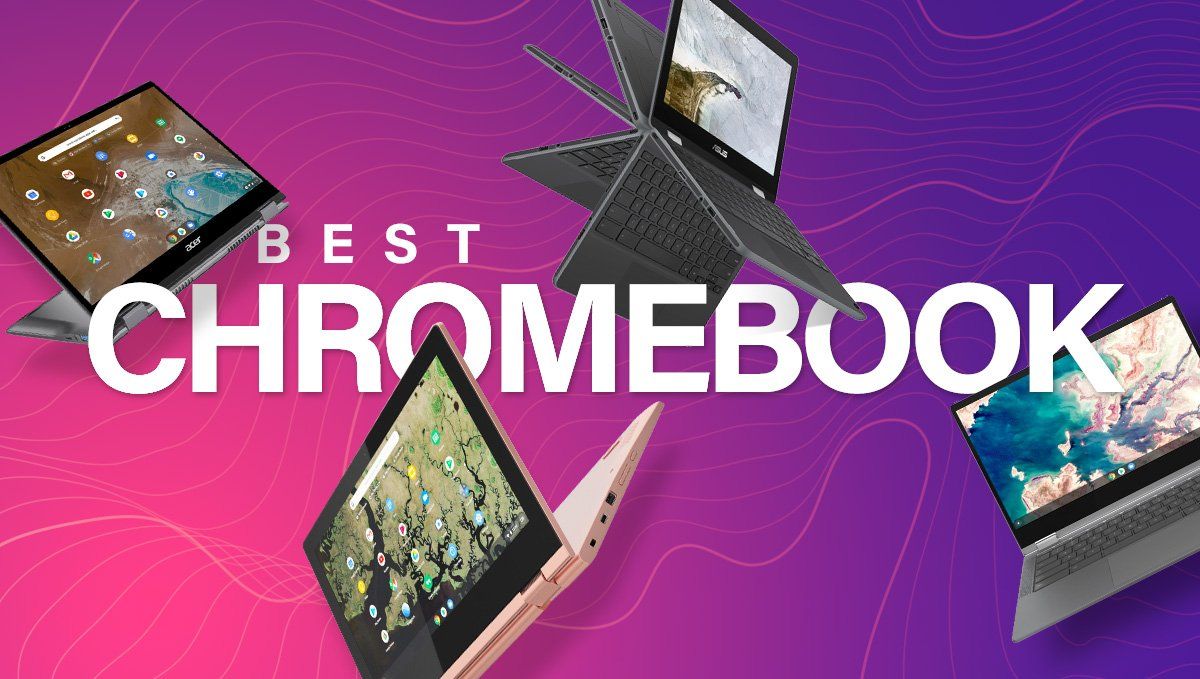
    The finest Chromebooks are easy, versatile units that may present a top-notch computing expertise to tech-savvy of us and novices alike. Whether you need a laptop computer for college, abroad journey, or for merely browsing the net, we have reviewed and rated the entire finest Chromebooks for each sort of person and each finances beneath the solar. Our purchaser’s information will provide help to discover the right Chrome OS laptop computer or pill in case you’re switching from a Windows or Mac, or in case you’re shopping for your first laptop computer fully.

    • Chromebook offers: Walmart (opens in new tab) | Best Buy (opens in new tab) | Lenovo (opens in new tab) | HP (opens in new tab) | Amazon (opens in new tab) 

    Which Chromebooks are finest?

    Why you’ll be able to belief Android Central
    Our knowledgeable reviewers spend hours testing and evaluating services so you’ll be able to select the perfect for you. Find out extra about how we take a look at.

    (Image credit score: Andrew Myrick / Android Central)

    Best Overall

    Specifications

    Display: 14-inch LCD touchscreen, 340 nits brightness

    Resolution: 1920 x 1200

    CPU: Intel Core i5-1235U

    RAM: 8GB

    Storage: 256GB NVMe SSD

    Battery: Up to 10 hours through 56Wh cell

    Ports: 2x Thunderbolt 4 (USB-C), 1x USB-A (USB 3.2 Gen 1), full-size HDMI, 3.5mm stereo combo jack, Kensington lock

    Weight: 3.09 kilos

    Colors: Slate Blue

    Other options: Dockable USI stylus, Intel Iris Xe graphics, webcam privateness shutter, 45W Power Delivery, Wi-Fi 6E, Bluetooth 5.2

    Auto Update Expiration date (AUE): June 2030

    Reasons to purchase

    +

    Garaged USI stylus

    +

    Fantastic efficiency with out paying a premium

    +

    Upward firing audio system are a pleasant contact

    +

    Comfortable typing expertise

    Reasons to keep away from

    –

    No fingerprint scanner

    –

    Configurations are present restricted to the Core i5 mannequin

    Our most well-liked model:

    The finest Chromebook you should buy is not essentially probably the most highly effective or the most costly. Instead, it combines many options right into a compact physique that may attraction to virtually all Chromebook customers; from novices to consultants, college students to professionals.  With the Acer Chromebook Spin 714 (2022), you are now in a position to take pleasure in one of the performant Chromebooks with out paying HP’s or ASUS’ exorbitant costs.

    While the Steam Alpha program has but to be upgraded with assist for twelfth Gen Intel processors, we have now little question that it is solely a matter of time earlier than the Spin 714 is added to the record. The at the moment out there configuration is powered by the Intel Core i5-1235U with Iris XE graphics, however Acer plans so as to add a Core i7 configuration within the close to future, supplying you with much more energy, in case you want it.

    But versus the Spin 713, there’s a minimum of one main change that you just may not have anticipated. Instead of needing to recollect to carry a stylus with you, the Chromebook Spin 714 (2022) contains one. And not like the HP Elite Dragonfly, you need not fear about magnet energy because the USI stylus is garaged proper in entrance of the underside keyboard deck.

    Lenovo IdeaPad Flex 3i Chromebook gradient lifestyle

    (Image credit score: Lenovo)

    Lenovo Chromebook Flex 3i

    Best for college students

    Specifications

    Display: 12.2-inch 1920 x 1200 (WUXGA), LCD touchscreen

    CPU: Intel N100

    RAM: 4GB / 8GB

    Storage: 64/128GB

    Battery life: 12 hours

    Ports: 2x USB-C, 2x USB-A, HDMI, microSD, audio combo jack

    Weight: 2.76 lbs

    Colors: Abyss Blue

    Other options: Wi-Fi 6E, Bluetooth 5.2, Up to 1080p digital camera

    Auto Update Expiration date (AUE): June 2030

    Reasons to purchase

    +

    Loud upward-facing audio system

    +

    Up to 12 hours of battery life

    +

    Performance is healthier than anticipated

    +

    Lightweight and convertible design

    +

    Plenty of ports to select from

    Reasons to keep away from

    –

    8GB/128GB mixture is just not at the moment out there

    –

    eMMC storage is a bit lackluster

    Our most well-liked model:

    If your subsequent laptop computer is required to slot in a selected finances whereas having the ability to survive  your subsequent semester, try our favourite Chromebook available on the market for college students, the Lenovo Flex 3i Chromebook. Barely larger than an 11.6-inch Chromebook, the Flex 3i has the perfect mix of efficiency, portability, and worth.

    The bezels across the Flex 3i’s 1920 x 1200 display screen are simply sufficient so that you can grip when flipping between laptop computer, stand, and pill modes. The 12.2-inch touchscreen provides simple split-screening as you unfold out your work. You can comfortably sort on its backlit keyboard for hours at a time and you will take pleasure in serviceable audio system positioned simply above the keyboard. 

    This model comes with Intel’s N100 processor with 4GB of RAM and 64GB of eMMC storage. Like a lot of the newer Chromebooks on this record, the Flex 5i comes with two USB 3.1 Type-C ports, two USB-A ports, a full-size HDMI port, in addition to a microSD slot for expandable storage, and a headphone jack. You get Wi-Fi 6E for quicker, extra dependable connectivity — and Bluetooth 5.2, so your headset will not drop out as typically — and you will take pleasure in a whopping 12 hours of battery life on a single cost.

    HP Dragonfly Pro Chromebook review

    (Image credit score: Andrew Myrick / Android Central)

    Best premium possibility

    Specifications

    Display: 14-inch, 16:10, 1200 nits peak brightness, touchscreen

    Resolution: 2560×1600

    CPU: Intel Core i5-1235U

    RAM: 16GB

    Storage: 256GB

    Battery: Up to 11.5 hours

    Ports: 4x Thunderbolt 4 (USB-C)

    Weight: 3.3 kilos

    Colors: Ceramic White, Sparkling Black

    Other options: Haptic trackpad, RGB backlit keyboard, fingerprint scanner

    Auto Update Expiration date (AUE): June 2030

    Reasons to purchase

    +

    The haptic trackpad is unmatched

    +

    All-day battery life

    +

    Performance is simply nearly as good as competing Windows and Mac laptops

    +

    Up to 1200 nits of peak brightness

    Reasons to keep away from

    –

    Still dearer than different Chromebooks

    –

    Not convertible

    –

    Regularly out of inventory

    Our most well-liked model:

    When the HP Elite Dragonfly Chromebook first hit retailer cabinets again in 2022, we had been awestruck by its energy, effectivity, and sadly, its worth. Retailing for round $1,269.99, the Elite Dragonfly Chromebook was prohibitively costly and the one main downside with an in any other case excellent laptop computer. Luckily, with the discharge of the HP Dragonfly Pro, this situation has been (largely) resolved.

    At $999.99, the brand new HP Dragonfly Pro is significantly extra reasonably priced than the Elite with out sacrificing a lot of its premium specs and options. As we be aware in our HP Dragonfly Pro overview, the laptop computer “combines performance with elegance”, full with all-day battery life, the ultra-efficient Intel Core i5-1235U chipset, and among the best haptic trackpads that we’ve ever used.

    It might not appear to be a lot from the skin, however flip open the Pro and also you’ll discover a beautiful 14-inch show with a 16:10 side ratio and 2560 x 1600 decision. We went as far as to name it the “best-looking screen” we’ve ever seen on a Chromebook. Of course, $1,000 for a Chromebook nonetheless isn’t low-cost, however in case you had been ready for the value of the Elite to drop a number of hundred {dollars}, the HP Dragonfly Pro is the Chromebook for you. 

    Hi-Fi Rush on Acer Chromebook 516 GE 16x9

    (Image credit score: Andrew Myrick / Android Central)

    Best gaming Chromebook

    Specifications

    Display: 16-inch (2560 x 1600), 16:10, 350 nits, 120Hz

    CPU: Intel Core i5-1240P

    RAM: 8GB

    Storage: 256GB NVMe SSD

    Battery life: Up to 10 hours

    Ports: 2x USB-C, 1x USB-A, 1x 3.5mm audio combo jack, HDMI 2.1, 2.5G Ethernet, Kensington lock

    Weight: 3.75 kilos

    Colors: Titanium Gray

    Other options: Quad force-canceling audio system, RGB anti-ghosting keyboard, 360-degree design, Intel Iris Xe graphics

    Auto Update Expiration date (AUE): June 2030

    Reasons to purchase

    +

    Massive 16-inch 120Hz show

    +

    Sleek design with backlit keyboard

    +

    Plenty of ports

    +

    Great worth for the value

    Reasons to keep away from

    –

    No touchscreen

    –

    Not convertible

    –

    No Thunderbolt assist

    Our most well-liked model:

    Chromebooks aren’t typically the very first thing individuals search for once they’re selecting out a brand new gaming system, however the Acer Chromebook 516 GE seeks to vary all of that. Thanks to the brand new enlargement of Steam for ChromeOS, avid gamers at the moment are in a position to log into their Steam account and entry their full library of video games instantly on their Chromebook, and the Acer 516 GE ensures that they give the impression of being and play higher than ever earlier than. 

    This laptop computer boasts an enormous and vibrant 16-inch show (a rarity amongst Chromebooks) with a easy 120Hz refresh price. There’s additionally a glossy and spacious keyboard with eight backlight shade choices that may be custom-made any time within the Settings menu. You additionally get the entire efficiency and battery life that we’ve come to count on from the Acer identify, on this case, as much as 10 hours on a single cost. This Chromebook doesn’t skimp on ports both, because the Acer 516 GE boasts twin USB-C ports, a 2.5G Ethernet jack, an HDMI 2.1 port, and a 3.5mm headphone jack. 

    As we be aware in our Acer 516 GE overview, in fact, every little thing isn’t good. There’s no touchscreen right here, and the laptop computer doesn’t have Thunderbolt assist, but when you may get previous these few minor points, you’ll get a Chromebook that may deal with gaming like the perfect of them. 

    Lenovo Chromebook Duet 5

    (Image credit score: Ara Wagoner / Android Central)

    Best premium pill

    Specifications

    Display: 11-inch 2K LCD touchscreen (400 nits)

    CPU: Qualcomm Snapdragon 7c Gen 2 Compute Platform

    RAM: 4-8GB

    Storage: 64-256GB

    Battery life: Up to 12 hours

    Ports: 2x USB-C 3.2 Gen 1

    Weight: 1.14 lb (pill solely) / 2.09 lbs (with folio case)

    Colors: Storm Grey

    Other options: USI Stylus compatibility, Included kickstand and removable keyboard, 10W charger (max charging pace 18W)

    Auto Update Expiration date (AUE): June 2029

    Reasons to purchase

    +

    Excellent battery life

    +

    Kickstand and keyboard included

    +

    Bright 2K OLED display screen for comics and movies

    Reasons to keep away from

    –

    Stylus bought individually

    –

    No expandable storage

    Our most well-liked model:

    Ever for the reason that authentic Chromebook Duet debuted again in 2020, this has been among the best selections for individuals who need Chrome OS on a pill. Under the hood, you may discover Qualcomm’s Snapdragon 7c Gen 2 chipset, which does wonders to assist make the battery final for days. The Duet 5 is rated for as much as 15 hours on a single cost, and this Chrome OS pill would not disappoint. But Lenovo took issues a step additional in relation to charging, giving the Duet 5 twin USB-C ports, together with assist for as much as 45W charging speeds. Needless to say, these are very welcome upgrades in comparison with the unique Duet. 

    Continuing with the flexibility mindset, Lenovo once more contains each a kickstand and a removable keyboard case with the Duet 5. The kickstand merely attaches to the again utilizing magnets, however the firm took a step again in relation to the keyboard. In our Duet 5 overview, we discovered that the ribbon cable utilized by Lenovo is a bit too flimsy for our liking, which means that utilizing this in your lap might end in a irritating typing expertise.

    One space the place Lenovo did not actually present a lot of an improve is within the storage division. The solely “improve” actually is you can get 128GB of storage with the bottom configuration, however there nonetheless is not any possibility for utilizing a microSD card. But a minimum of with the second USB-C port, you’ll be able to connect an exterior laborious drive if you wish to load up some films or TV exhibits. It’s not the right answer, however it’s higher than nothing. 

    Lenovo Chromebook Duet 3 back with Android figures

    (Image credit score: Andrew Myrick / Android Central)

    Best worth pill

    Specifications

    Display: 10.9-inch IPS, 2000 x 1200, 400 nits

    CPU: Snapdragon 7c Gen 2 compute platform

    RAM: 4GB

    Storage: 128GB

    Battery: Li-Polymer 29Wh battery (Up to 12 hours)

    Ports: 2 x USB-C 3.2 Gen 1, Pogo-pin

    Weight: 516.5g / 1.14lbs

    Colors: Storm Grey

    Other options: Detachable water resistant Keyboard / Detachable magnetic kickstand / Supports USI 2.0 Stylus Pen

    Auto Update Expiration date (AUE): June 2029

    Reasons to purchase

    +

    Bright 400-nit touchscreen with a 2K decision

    +

    Dual USB-C 3.2 ports built-in

    +

    A removable keyboard and canopy are included

    +

    Solid battery life

    +

    Future-proof with USI 2.0 assist

    Reasons to keep away from

    –

    No indicators of the mannequin with 8GB of RAM

    –

    Does not embody USI 2.0 stylus

    Our most well-liked model:

    The authentic Lenovo Chromebook Duet helped to open the door to different ChromeOS tablets just like the HP Chromebook x2 11 and the Lenovo Chromebook Duet 5. However, the Duet was launched in 2020, leaving us questioning whether or not Lenovo would find yourself releasing a successor of some kind. The Duet 5 is a bit too giant with its 13.3-inch show to be thought-about the “subsequent in line,” however that is the place the Chromebook Duet 3 is available in. 

    Just like its accomplice in crime, the Chromebook Duet 5, the Duet 3 is powered by the Snapdragon 7c Gen 2 compute platform. This leads to a battery that lasts for as much as 12 hours on a single cost, together with being highly effective sufficient to deal with these occasions while you need to plug into an exterior show to get work achieved. Plus, Lenovo improved upon the removable keyboard and kickstand case, with magnets which can be a lot stronger than its predecessor, whereas additionally being fairly a bit slimmer. 

    The solely actual downside with the Chromebook Duet 3 is a irritating one. Although it is suitable with USI 2.0, Lenovo is the one firm that’s at the moment providing a USI 2.0 stylus, however you may must pay individually for it. And whereas that won’t appear to be an enormous deal, your perspective might shift when you study that the Duet 3 is just not suitable with any of the perfect USI 1.0 pens on the market. This is due to the kind of show that Lenovo built-in into the Duet 3, which seems nice, however you may want to attend a bit longer to make use of it with the appropriate stylus.

    Framework Laptop Chromebook Edition playing Hades on Steam with SteelSeries controller

    (Image credit score: Andrew Myrick / Android Central)

    Most modern

    Specifications

    Display: 13.5-inches (3:2), 2256 x 1504, 400 nits

    CPU: twelfth Gen Intel Core i5-1240P w/ Intel Iris Xe graphics

    RAM: 8GB DDR4-3200 (Upgradable as much as 64GB)

    Storage: 256GB NVMe (Upgradable as much as 1TB)

    Battery: 55Wh (80% capability after 1000 cycles)

    Expansion playing cards (ports): USB-A, USB-C, DisplayPort, MicroSD, HDMI, Ethernet

    Weight: 2.86 kilos

    Auto Update Expiration date (AUE): June 2030

    Reasons to purchase

    +

    The first actually modular Chromebook

    +

    Easy-to-follow directions for changing elements

    +

    Expansion Cards provide the flexibility to customise ports

    +

    Framework partnered with Google

    Reasons to keep away from

    –

    No touchscreen

    –

    Expensive

    –

    Only one processor at the moment out there

    Our most well-liked model:

    Over the course of 2022, we noticed fairly a number of Chromebooks launched that reinvigorated our pleasure for ChromeOS on the entire. But it is doable that Framework’s last-minute entry into the market with the Laptop Chromebook Edtion ended up as a private favourite. 

    From a efficiency perspective, the Framework would not provide something you can’t discover with one other Chromebook on this record. However, that is not likely the attraction, neither is it the explanation why we will not cease utilizing the Framework. Instead, it is the truth that the whole laptop computer is user-upgradeable, as you’ll be able to change every little thing from the keyboard to the RAM and even the built-in audio system. This instantly units the Framework aside from the remainder of the market, as you might be normally restricted to having the ability to improve simply the storage and possibly the RAM. If one thing finally ends up breaking on this Chromebook, you’ll be able to simply get a alternative half instantly from Framework and use the easy-to-follow directions to put in it your self.

    Not every little thing is “good” in relation to the Framework, similar to the shortage of a touchscreen show and fingerprint scanner. It’s additionally fairly dear. The Laptop Chromebook Edition begins at $999, and while you have a look at similarly-spec’ed Chromebooks, you may most likely discover one thing with the identical energy for a lot much less. However, we’d argue that the flexibility to customise, improve, and restore the Framework your self is properly well worth the price ticket.

    What are the perfect Chromebooks available on the market as we speak?

    The great thing about the Chromebook market is that there are such a lot of choices to select from. Our high choose is the Acer Chromebook Spin 714 (2022), because it provides a wonderful mixture of energy and efficiency. In addition to utilizing Intel’s twelfth gen chips, the Spin 714 can also be one of many few Chromebooks that features a garaged USI stylus. You’ll additionally discover loads of ports, together with HDMI, Thunderbolt 4, and even a headphone jack. 

    Until the Spin 714 was launched, our high choose was the Lenovo Flex 5i Chromebook, which nonetheless hits the entire proper markets for a laptop computer, together with construct high quality, efficiency, battery life, and longevity — all for a particularly reasonable worth. The solely issues with the Flex 5 had been surprisingly mediocre battery life, and that the display screen is barely a 250-nit, 1080p touchscreen.

    There are the perfect Chromebooks, after which there are the finest Chromebooks. Without a doubt, the HP Dragonfly Pro is the perfect of the perfect, however that additionally comes at a steep worth. With the Dragonfly, you may take pleasure in a Chromebook that’s not solely future-proof however one that may make you are feeling such as you’re residing sooner or later. It’s the primary Chromebook to characteristic a haptic trackpad, whereas additionally providing an extremely attractive design and even a 1,000-nit touchscreen.

    How do I choose the perfect Chromebook?

    Chromebooks may get pegged as solely being for college students and grandparents, however there actually is a Chromebook for everyone as of late, whether or not you are simply looking electronic mail and social media, or getting down and soiled with Linux apps and coding IDEs. 

    While there are a whole lot of nice Chromebook producers on the market, the Lenovo and ASUS fashions appear to go tougher and last more than the competitors. That being stated, Samsung, Dell, and HP could make some fairly premium Chromebooks as properly.

    Choosing your Chromebook is barely completely different from selecting a Windows or Mac laptop computer as a result of standardized, cloud-centric nature of Chrome OS. Because Google controls the software program look and replace schedule for each Chromebook mannequin, a Chromebook constructed by Lenovo ought to act the identical as a Chromebook from Dell or Samsung. So what does that imply?

    It means you’ll be able to focus rather less on these core specs and extra on what you need to do with the machine you select. This course of could appear barely out of order, however belief me on this one:

    Get one with a touchscreen — a 2-in-1 in case you can

    Touchscreens could also be a luxurious for different laptop computer programs, however on Chromebooks, I take into account it a requirement. The contact optimization in Chrome OS is getting higher each month, and since a lot of the Android apps Chromebooks can set up through Google Play are optimized for contact, deal with your self to a touchscreen mannequin.

    Touchscreen fashions normally aren’t that rather more costly for Chromebooks these days — many Chromebook fashions do not even hassle with non-touchscreen variations as of late — however in case you see a Chromebook that claims it is non-touch, stroll away and do not look again. It’s a fantastic factor to have the ability to faucet on the display screen when scrolling via Amazon, and after taking part in Solitaire on a touchscreen, you may by no means return to utilizing a mouse. Especially when shopping for a scholar Chromebook, a touchscreen is crucial for serving to youthful customers adapt from the touchscreen world of tablets to the mouse-and-keyboard banality of laptops.

    That touchscreen is available in even handier on 2-in-1 programs; the perfect kind issue I’ve seen for Chromebooks but. Being in a position to prop up your Chromebook in Tent mode for a film, or fold it flat into Tablet mode for some in-bed looking whereas down with the flu is wonderful. However, having a 360-degree hinge is great for on a regular basis productiveness too. You can bend your Chromebook again to extra angles when working in awkwardly-lit places of work with bizarre mild glare, or propped in your lap at a ballgame since you did not overlook these quarterly expense studies that had been due tomorrow, and refuse to skip the sport for that.

    Decide on the opposite options you need

    Chrome OS is sort of fully the identical on each gadget from a software program perspective, which implies that standout {hardware} options grow to be paramount, and determining which of these options you need or want in a machine might help slim the sector and steer you to your good Chromebook.

    As talked about earlier than, you need a touchscreen Chromebook — a 2-in-1 in case you can swing it — however in case you are likely to do a whole lot of movie-watching, it’s your decision a high-quality display screen or loud, front-facing audio system.

    If you are trying to be extra productive with many open tabs and multi-window screens, you may want a 3:2 show that is extra suited to split-screening, in addition to a extra highly effective processor/reminiscence configuration. 

    Productivity-minded customers must also pay particular thoughts to the port configurations on their potential Chromebooks, as USB-C begins to switch most different ports on extra premium Chromebooks just like the Pixelbook whereas extra grounded fashions preserve USB-A ports round alongside new USB-C charging ports.

    Families with youthful children — or vacationers susceptible to slips, spills, and accidents — may need to look to the rising variety of Chromebooks with military-grade MIL-STD 810G sturdiness or spill-resistant keyboards.

    Pick your measurement

    Chromebooks are available in a wide range of sizes, however they have a tendency to gravitate to 4 sizes basically:

    • 11.6-inch fashions are moveable and reasonably priced. At their smaller measurement, their screens can look good, even when they’re lower than 1080p native decision — although display screen decision is dealt with a bit otherwise on Chrome OS; we’ll get to that just a little later. Depending on the bezels on the display screen, 11.6-inch Chromebooks can both have full-sized keys or barely shrunken keys, although most producers use full-size keys on 11.6-inch fashions.
    • 12.3-13.5-inch fashions have gotten an increasing number of common, particularly with 2-in-1 fashions just like the Lenovo Flex 5 and the Acer Chromebook Spin 713. This display screen measurement lets you comfortably split-screen home windows, take pleasure in a full-size keyboard, and you have the room for extra highly effective parts and extra battery to energy that larger display screen. These are moveable however highly effective, and I like them.
    • 14-inch fashions sit on the excessive margin for the moveable class. Still, with skinny bezels and correct engineering, these might be virtually as moveable and manageable as 13-inch laptops with 7-9 hour battery lives. If you must show your textual content in a bigger font — and sure, Chrome OS has a separate font scale impartial of the show zoom — a 14-inch mannequin is your finest wager for a productive Chromebook that will not pressure your eyes, particularly as most 14-inch fashions begin at 1080p.
    • 15.6-inch fashions are made for desks and eating room tables. I lovingly refer to those as LIMOs — Laptop in mannequin solely — as a result of whilst you can shove them into bigger laptop computer backpacks for a trip, these Chromebooks aren’t made for laps and tray tables. Instead, these are made for the standard workplace setting the place they stay stationary lives in peace. They are nice for productiveness as a result of you’ll be able to see extra without delay, however they have a tendency to have shorter battery lives and better weights, which dissuade them from being dragged round each day.

    In normal, the larger the dimensions of your Chromebook, the extra you’ll be able to doubtlessly match on the display screen, however it can even be much less moveable and shorter in battery life. The smaller it’s, the much less heavy and (normally) cheaper it will likely be. Still, smaller fashions can even endure from decrease decision screens, although Chrome OS’s show zoom and font changes can considerably offset it.

    Memory and storage — what do you actually need?

    RAM — Random Access Memory — is a essential spec for computer systems of all dimensions and shapes; from telephones and tablets, to desktops and laptops. It’s utilized by your laptop’s processor(s) to carry your present tabs, apps, and execute the instructions, clicks, and operations that make your Chromebook work.

    So how a lot RAM do I want? 4 GB of RAM in a Chromebook is OK, 8 GB is healthier, and high-end Chromebooks can include 16 GB or extra, however 4 GB of RAM is sufficient to run Chrome OS with a few apps and a dozen Chrome tabs.

    If you are a long-time Windows person — or a long-time laptop person of any form — wanting on the storage on most Chromebooks will appear complicated at first as a result of it isn’t going to sound like sufficient. Chrome OS relies round cloud storage — Google Drive is built-in instantly into the Files app — however native storage remains to be important for issues like Android apps from Google Play, offline paperwork, and downloaded music/films for these horrible Wi-Fi-less flights.

    You can even increase the storage on many Chromebooks with an SD or microSD card, however there is no beating correct native storage to begin with. 32 GB of storage is workable, however I’d advocate a mannequin with a minimum of 64 GB of storage. Finding 128 GB or extra is normally reserved for premium Chromebooks with heftier worth tags. However, 64 GB Chromebooks are fairly extensively out there and provide greater than sufficient storage for some Drive offline syncing and emergency leisure.

    Always verify the expiration date!

    Chrome OS is developed, managed, and up to date by Google for all Chromebooks, however Google would not need to be caught supporting each random finances chipset and driver set ceaselessly, so every Chromebook has a shelf life and an expiration date — identical to the milk in your fridge. This is the Auto Update Expiration date, and it may be discovered for each single mannequin on this handy-dandy assist web page, which you need to typically verify whilst you’re looking for Chromebooks.

    Now, a Chromebook would not flip right into a pumpkin on its AUE date — assuming your Chromebook lasts three to 6 years till that date — however it does cease receiving these system updates each Chromebook will get each 4 to 6 weeks that comprise bug fixes, safety patches, and new options. If your Chromebook remains to be working decently at the moment, you are a champ, and with a teeny little bit of know-how, you’ll be able to reformat it to run certainly one of a dozen Linux distros as a substitute.

    That stated, four-to-six years is a very long time for any laptop computer, and chances are high yours can be getting lengthy within the tooth by then. Right now, when buying, at all times verify the AUE to see how lengthy your Chromebook will get updates. Some Chromebooks have shorter lifetimes than others in the event that they’re constructed on the identical platform as a earlier Chromebook — AUE relies on the {hardware} platform, not particular person mannequin, which can also be why many Chromebooks have the identical AUE dates. That’s why it is one thing you may at all times need to verify earlier than shopping for, even when the mannequin itself is brand-new.

    • Chromebook offers: Walmart (opens in new tab) | Best Buy (opens in new tab) | Lenovo (opens in new tab) | HP (opens in new tab) | Amazon (opens in new tab) 

    Round up of as we speak’s finest offers

    Share. Facebook Twitter Pinterest LinkedIn WhatsApp

    Related Posts

    Mobile

    Android’s March update is all about finding people, apps, and your missing bags

    Mobile

    Watch Xiaomi’s global launch event live here

    Mobile

    Our poll shows what buyers actually care about in new smartphones (Hint: it’s not AI)

    Mobile

    Is Strava down for you? You’re not alone

    Mobile

    The Motorola Razr FIFA World Cup 2026 Edition was literally just unveiled, and Verizon is already giving them away

    Mobile

    Xiaomi Tag’s price surfaces – GSMArena.com news

    Mobile

    Galaxy S25 FE becomes even more affordable flagship killer with Amazon’s latest deal

    Mobile

    Gemini Labs arrives, giving a clear home for experimental features

    Leave A Reply Cancel Reply

    Follow Us
    • Facebook
    • Twitter
    • Pinterest
    • Instagram
    Top Posts
    Gadgets

    No More Exclusivity?! Xiaomi Aims To Bridge Apple-Android Compatibility Gap

    Have you ever encountered your self in a scenario the place you needed to purchase…

    AI

    Meet ProPainter: An Improved Video Inpainting (VI) AI Framework With Enhanced Propagation And An Efficient Transformer

    The area of Artificial Intelligence is evolving like something. One of its main sub-fields, well-known…

    Mobile

    There should be no shortage of Ultra phones in 2025

    Robert Triggs / Android AuthorityTL;DR A leaker suggests a Xiaomi 15 Ultra may land in…

    AI

    Unlocking the Power of Context with Google AI: A Showdown Between prefixLM and causalLM in In-Context Learning

    The War of Troy is known, the place Achilles etched his title in historical past…

    Gadgets

    6 Best Phones With Headphone Jacks (2026), Tested and Reviewed

    If a headphone jack is a must have in your subsequent telephone, Motorola’s Moto G…

    Our Picks
    AI

    HuggingFace Introduces Quanto: A Python Quantization Toolkit to Reduce the Computational and Memory Costs of Evaluating Deep Learning Models

    AI

    Google DeepMind Researchers Propose a Framework for Classifying the Capabilities and Behavior of Artificial General Intelligence (AGI) Models and their Precursors

    Crypto

    100% Of Bitcoin Bull Market Peak Indicators Remain Untouched, Is There Still Room To Run?

    Categories
    • AI (1,560)
    • Crypto (1,827)
    • Gadgets (1,870)
    • Mobile (1,910)
    • Science (1,939)
    • Technology (1,862)
    • The Future (1,716)
    Most Popular
    Crypto

    Is Edward Snowden Bitcoin Creator Satoshi Nakamoto? Here’s His Response

    The Future

    The ten best sci-fi films about AI according to an expert: Wall-E, Her, The Imitation Game

    Science

    This mathematical trick can help you imagine space-time

    Ztoog
    Facebook X (Twitter) Instagram Pinterest
    • Home
    • About Us
    • Contact us
    • Privacy Policy
    • Terms & Conditions
    © 2026 Ztoog.

    Type above and press Enter to search. Press Esc to cancel.